Conan 2 for QNX: A Modern C/C++ Package Manager
A practical guide to making Conan 2 play nicely with QNX, from QNX's Marcin Sochacki and Pavlo Kleymonov.

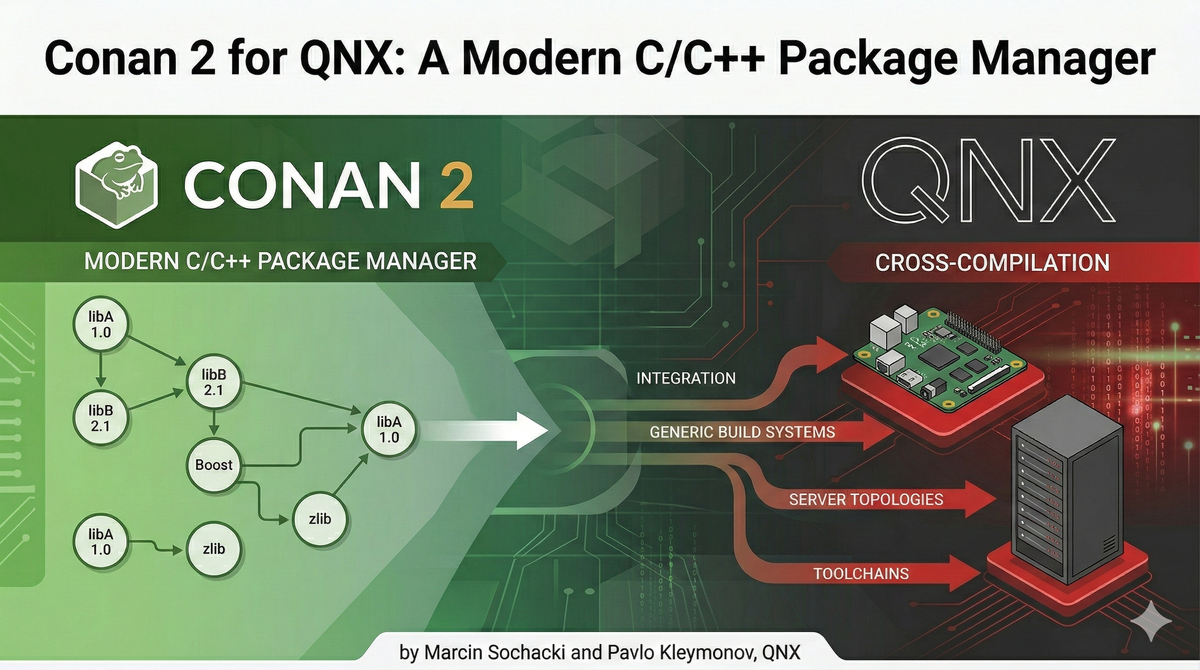
Over the past year, we’ve been integrating Conan 2, the open‑source package manager for C/C++, into several QNX‑based projects. What impressed us most is how cleanly Conan handles QNX cross‑compilation while remaining generic enough to support multiple build systems, server topologies, and toolchains.
In this post, we’ll walk through the fundamentals of Conan 2, how to configure it for QNX 7.x and QNX 8.0 targets, and how to use it both from a cross‑build environment and from a fully self‑hosted QNX Developer Desktop instance.
Why Conan 2? A Quick Overview
Conan is a decentralized, Python‑based package manager for C and C++ projects. It integrates naturally with:
- CMake, Meson, SCons, Autotools, MSBuild, and more
- Multiple compilers (GCC, Clang, MSVC, qcc)
- Cross‑compilation workflows for both open‑source and proprietary software
- Private package servers (simple Conan server or JFrog Artifactory)
Conan provides more than 1800 open‑source recipes, supports binary management, and makes switching between native and cross compilation as simple as changing a profile.
Conan Features at a Glance
Strengths
- Native support for QNX cross‑compilation
- Supports
qccwith both-Y _cxx(LLVM libc++) and-Y _gpp(GNU libstdc++) - Easy to add QNX 8.0 compiler support via settings extensions
- Works with a wide range of build systems
- Clean dependency resolution and version isolation
- Ability to run client/server on QNX (self‑hosted)
- Mature documentation and tutorials
- Easy toggling between native and cross‑target builds
Weaknesses
- No built‑in unit‑test execution framework
- Requires network connectivity when consuming upstream packages
- Does not install artifacts into OS‑level package formats
- Some recipes require patching for QNX compatibility
Here's some tips for using it with QNX.
Quick Start: Default Build Configuration
Conan can scaffold project templates with sensible defaults.
conan new cmake_lib -d name=lib_xyz -d version=1.0.0
QNX Cross‑Compilation with Conan 2
Conan includes native qcc support, including automatic handling of -Y compiler libraries. For QNX 8.0, developers must extend the default settings using settings_user.yml.
conan config install <path to settings_user.yml>
Example settings snippet
os:
  Neutrino:
    version: ["6.4", "6.5", "6.6", "7.0", "7.1", "8.0"]
compiler:
  qcc:
    version: ["4.4", "5.4", "8.3", "12.2"]
Host Profiles: Defining QNX Targets
Example nto‑7.1‑aarch64‑le profile:
[settings]
arch=armv8
compiler=qcc
compiler.version=8.3
compiler.cppstd=gnu14
compiler.libcxx=cxx
os=Neutrino
os.version=7.1

[buildenv]
CC=qcc -Vgcc_ntoaarch64le
CXX=q++ -Vgcc_ntoaarch64le
CFLAGS=-D_XOPEN_SOURCE=700 -D_QNX_SOURCE
CXXFLAGS=-D_XOPEN_SOURCE=700 -D_QNX_SOURCE
Using Conan in QNX Developer Desktop (Self‑Hosted)
The QNX Self-Hosted Developer Desktop is a QNX-based target environment in which you can do your development, builds, tests, and execution. And you can use Conan here too!
First, create a workspace:
cd ~
mkdir qnx_workspace
cd qnx_workspace
Then create a virtual environment:
python -m venv env_conan
source env_conan/bin/activate
pip install conan
Clone the QNX Conan tooling:
git clone https://github.com/qnx-ports/build-files.git
export QNX_CONAN_ROOT=$(realpath ~/qnx_workspace/build-files/conan)
Install the settings extension:
conan config install $QNX_CONAN_ROOT/tools/qnx-8.0-extension/settings_user.yml
Default Profile (Clang)
[settings]
arch=x86_64
compiler=clang
compiler.version=21
compiler.cppstd=23
compiler.libcxx=libc++
os=Neutrino
os.version=8.0

[buildenv]
CC=clang
CXX=clang
GCC Profile
[settings]
compiler=gcc
compiler.version=12.2
compiler.cppstd=14
compiler.libcxx=libstdc++

[buildenv]
CC=gcc
CXX=g++
Some Other Tips
Using Clang
conan create --version=1.14.0 $QNX_CONAN_ROOT/recipes/gtest/all
conan install --requires=zlib/1.3.1 --build=missing
conan install --requires=openpam/20230627 --build=missing
Using GCC
conan create -pr:a gcc --version=3.31.7 $QNX_CONAN_ROOT/recipes/cmake/3.x.x
conan install -pr:a gcc --requires=zlib/1.3.1 --build=missing
Fix GCC C++ library issues
sudo apk del libc++-dev
sudo apk add qnx-libc++-dev
sudo apk add qnx-gcc-libs
Inspecting Conan Cache
conan list
conan list zlib:*
conan list *:*
Modifying Recipes
git clone https://github.com/conan-io/conan-center-index.git
nano conan-center-index/recipes/zlib/all/conanfile.py
conan create --version=1.3.1 conan-center-index/recipes/zlib/all
Conclusion
Conan 2 brings a reliable, modern dependency‑management workflow to QNX — one that fits naturally alongside CMake, qcc, Clang, and the QNX Developer Desktop. Whether you're cross‑compiling dependency graphs or building natively inside QDD, Conan improves reproducibility, modularity, and developer experience.